Texefex 5.0
Text Input & Output
This is probably the most important part of the screen. This tab contains a simple edit box where you can type in any text that you want to use in Texefex. The result of a Texefex operation is always a bunch of characters in one or more colors depending on the operating mode, and this is the place where this result is displayed.
In this place the result is always shown in RTF format (Rich Text Format), meaning that you can edit it as in any basic word processor. Even after Texefex has finished processing you can still edit the result manually.
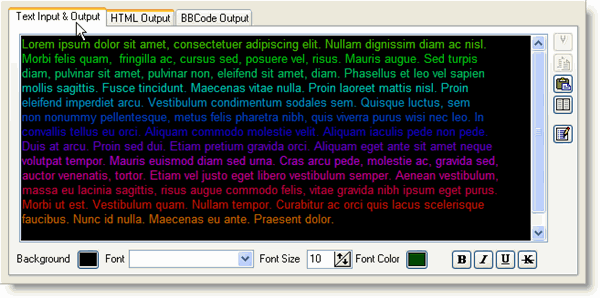
Underneath the edit box there are a few controls that let you change various settings of the selected text:
- Background color
- Font Name
- Font Size
- Font Color
- Font Style (Bold, Italic, Underline, StrikeOut)
On the right side there are a few buttons to perform basic functions like cut/copy/paste/select all, and also a button to enable a special editor mode.
This special editor mode resembles overstrike mode, but with a special effect that the colors will remain the same. So even when a nice gradient effect is applied to your text, you can simply change the text without any of the colors getting lost.
Copyright © 2001-2026 Blacksun Software. All Rights Reserved