
Sample Banners Created with X-Fonter
X-Fonter includes a lightweight graphics module designed for creating crisp, readable banners in seconds — no full graphics suite needed. Below are practical examples showing various effects: shadows, 3D, gradient colors, and transparency. All images can be exported and used directly in websites, emails, and documents.
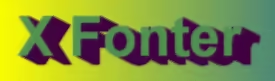



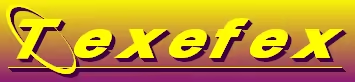



- PNG (24-bit + alpha) — ideal for transparent banners over photos or gradients.
- GIF — compact for flat colors and simple effects; supports 1-bit transparency.
- JPG / JPEG — smallest size for photo backgrounds; avoid on sharp text over flat colors.
- ICO / Bitmap — quick UI experiments or internal tools.
Tips for Sharp, Lightweight Banners
- Start at 2× size and downscale for crisp edges on high-DPI screens.
- Prefer PNG for transparency; use GIF only when the palette is very limited.
- Keep contrast high — dark text on light, or light on dark.
- Limit effect stacking (outline + shadow) to prevent halo artifacts.
- Trim empty margins and pick the smallest format that still looks clean.
Create a Banner in Under a Minute
- Open X-Fonter and launch the Graphics module.
- Pick a font and set base size; adjust tracking if needed.
- Select a fill style — solid or gradient — and optional outline.
- Add a subtle shadow or glow for separation on busy backgrounds.
- Choose canvas background (solid or transparent) and export to PNG or GIF.
Headings, callouts, download buttons, and product badges — export once and embed anywhere.
Release notes, promotions, and update highlights styled with your brand fonts.
Labeled screenshots and section headers that stay crisp at any resolution.
Quick text overlays with brand fonts — ready for any platform in seconds.
Ready to create your own banners? Download the free trial of X-Fonter and explore the Graphics module — no design experience required.