Investigate Production Data
Quickly inspect tables, views and query results when troubleshooting data issues, without building a report or export first.

Data Digger is a powerful, versatile tool designed by a DBA for DBAs, developers, and reporting professionals. It simplifies database management, streamlines workflows, and offers unique features — like Virtual Connections for cross-database joins — that you won't find in traditional tools.
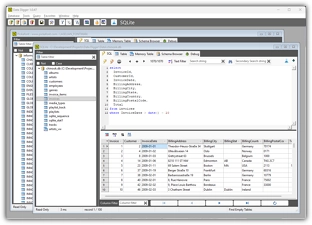
Simplify database monitoring, maintenance, and troubleshooting across multiple systems.
Query multiple databases easily, prototype ETL workflows, and edit data directly.
Export data quickly, create reusable queries, and streamline your reporting tasks.
Connect to SQL Server, Oracle, MySQL, SQLite, ODBC, and more. Open multiple connections simultaneously in an MDI interface. Query across databases and even different database types in a single session.
Combine data from grids across different databases into a single query window. Perform cross-database joins effortlessly — no ETL pipelines needed. Query data in real time, breaking down silos between systems.
All executed queries are logged automatically. Search query history to find specific commands, mark favourites, give them names, and access them via a dropdown menu. Perfect for database monitoring and maintenance workflows.
View tables in read-only mode by default for safe browsing. Enable write mode for direct data editing. Use real-time filtering to instantly find tables, views, or stored procedures by keyword.
Move and freeze columns, sort by headers, and add a totals row for numeric columns. Add a search bar to locate specific text within the grid. Export data to CSV, Excel, or a memory grid for further analysis. Tag grids with custom names to query them in virtual connections.
Shared query repository for storing and sharing queries among team members. Promote consistent, efficient workflows with a centralized query library.
Data Digger is built for practical day-to-day database work: quick investigation, data validation, ad hoc analysis and reporting support.
Quickly inspect tables, views and query results when troubleshooting data issues, without building a report or export first.
Load data from different databases or files and compare records across systems, for example between SQL Server, Oracle, Excel or ODBC sources.
Check whether imported, converted or migrated data matches the expected result before it is used by business users.
Run ad hoc queries, verify report data and export results to Excel, CSV or HTML for further analysis.
Save frequently used SQL statements, keep query history and avoid rewriting the same investigation queries again and again.
Use the Virtual Connection to work with loaded grids and perform quick cross-source analysis without creating temporary ETL flows.
Data Digger is designed for fast ad hoc data investigation across multiple sources, while tools like SSMS are mainly focused on database administration.
| Feature | Data Digger |
SSMS | Generic SQL Tool |
|---|---|---|---|
| SQL Server | ✓ | ✓ | Usually |
| Multiple database types | ✓ | ✕ | Often |
| Excel / CSV workflow | ✓ | Limited | Varies |
| Query favorites | ✓ | Limited | Varies |
| Virtual cross-source grids | ✓ | ✕ | Rare |
| Compare different sources | ✓ | ✕ | Rare |
| Reuse loaded data | ✓ | ✕ | Rare |
| Read-only by default | ✓ | ✕ | Varies |
| Export results | ✓ | Limited | Usually |
| Grid productivity tools | ✓ | Limited | Varies |
| Lightweight Windows tool | ✓ | ✕ | Varies |
| Ad hoc investigation | ✓ | Limited | Usually |
| Full DB administration | ✕ | ✓ | Varies |
✓ = supported, ✕ = not supported or not the intended purpose.