
Texefex Examples
Every example on this page is real output from Texefex — exported as HTML and pasted directly into this page. No images, no post-processing. What you see is exactly what you get.
HTML Export Examples
These are actual HTML outputs from Texefex. The HTML can be pasted directly into a webpage, email, or Word document — every character is individually coloured using inline CSS.
Example 1 — Large title (40pt, pink-to-red gradient, Character mode)Font: Microsoft Sans Serif
Texefex Examples
Example 2 — Subtitle line (12pt, full rainbow spectrum, Character mode)Font: Microsoft Sans Serif
All the following examples are created with Texefex
Example 3 — Bold heading (24pt, blue-to-cyan gradient, Character mode)Font: Arial
Gradient Text
Example 4 — Short paragraph (11pt, gold-to-orange gradient, Line mode)Font: Times New Roman
Lorem ipsum dolor sit amet, consectetur adipiscing elit.
Sed do eiusmod tempor incididunt ut labore et dolore magna aliqua.
Ut enim ad minim veniam, quis nostrud exercitation ullamco.
Duis aute irure dolor in reprehenderit in voluptate velit esse.
Excepteur sint occaecat cupidatat non proident, sunt in culpa.
Sed do eiusmod tempor incididunt ut labore et dolore magna aliqua.
Ut enim ad minim veniam, quis nostrud exercitation ullamco.
Duis aute irure dolor in reprehenderit in voluptate velit esse.
Excepteur sint occaecat cupidatat non proident, sunt in culpa.
Example 5 — ASCII art / image-to-text (8pt, green gradient, 2 lines)Font: Courier New — generated from image using Image-to-Text mode
ACKSUNBLACKSUNBLACKSUNBLACKSUNBLACKSUNBLACKSUNBLACKSUNBLACKSUNBLACKSUN
BLACKSUNBLACKSUNBLACKSUNBLACKSUNBLACKSUNBLACKSUNBLACKSUNBLACKSUNBLACKS
BLACKSUNBLACKSUNBLACKSUNBLACKSUNBLACKSUNBLACKSUNBLACKSUNBLACKSUNBLACKS
Example 6 — Symbol grid (10pt, purple-to-pink gradient, Character mode)Font: Courier New — repeated @ symbol pattern
@@@@@@@@@@@@@@@@@@@@
@@@@@@@@@@@@@@@@@@@@
@@@@@@@@@@@@@@@@@@@@
@@@@@@@@@@@@@@@@@@@@
@@@@@@@@@@@@@@@@@@@@
@@@@@@@@@@@@@@@@@@@@
@@@@@@@@@@@@@@@@@@@@
Application Screenshots
The screenshots below show the Texefex interface — how you design gradient effects and export them.
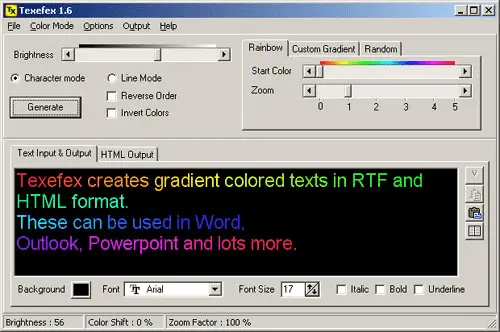
Main Interface
The Texefex workspace: type your text, choose a color scheme, pick a gradient direction and font, then preview and export.
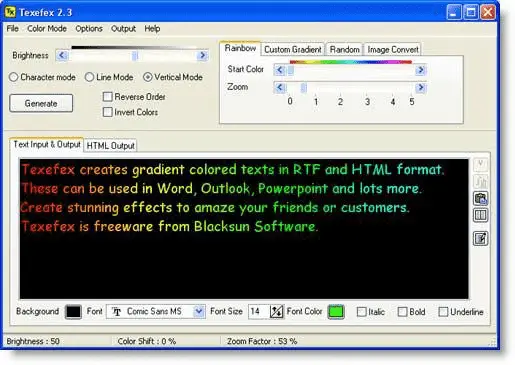
Color Scheme Editor
Define up to 8 custom colors for your gradient. The built-in ColorMania color picker makes it easy to select exact shades.
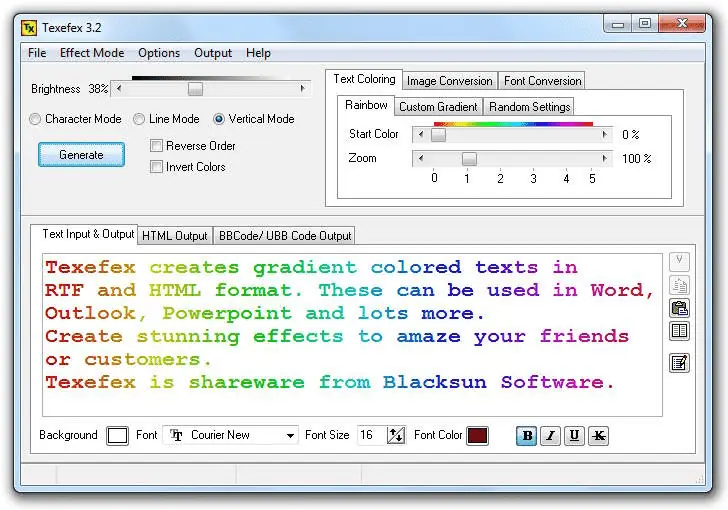
Extended View
A wider view of the Texefex interface showing the full output panel, color controls and export options side by side.
Try It Yourself
Download the free trial and create your own gradient text effects in minutes. No design skills required.