FlashTray Pro 5.0
What is FlashTray Pro
FlashTray Pro combines two tools into one lightweight Windows utility.
The first is a tray launcher — a configurable popup menu that sits in the Windows system tray and gives you one-click access to your favorite programs, documents, folders, URLs, and system tools.
The second is a hotkey engine that lets you define keyboard shortcuts and text triggers to simulate keystrokes, type frequently used text, and automate repetitive tasks.
FlashTray is your solution when:
- you frequently need to access special (foreign) characters which are not on your keyboard.
- you frequently need to type the same commands (or set of commands).
- you have a special email signature and want to use it with one keystroke.
- you want to automate a task (which can be simulated by pressing any number of keystrokes)
Features
- System tray popup menu with links to programs, documents, favorite websites, and directories
- Hotkey and text trigger automation with a powerful macro language
- Screen Highlighter with two configurable pens for presentations and annotations
- Mouse Jiggler and Keep Awake mode
- Text Transform options
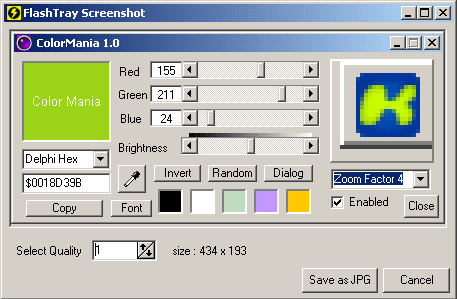
- Screenshot capture with quality preview
- Screen Magnifier and Color Picker
- Simple, intuitive interface — no programming skills required
- Small resource footprint, easy setup
Screenshots
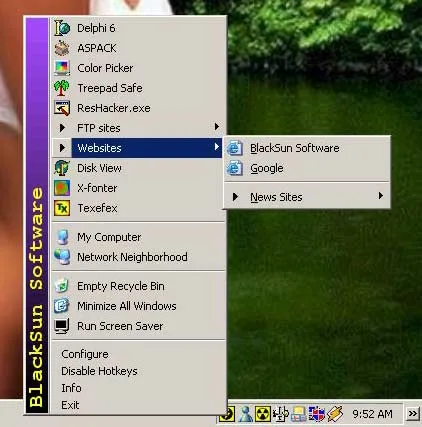
FlashTray Pro also includes a built-in screenshot tool. After capturing the screen you can preview the result and adjust the image quality before saving:
Copyright © 2001-2026 Blacksun Software. All Rights Reserved